

What’s YourMechanic?
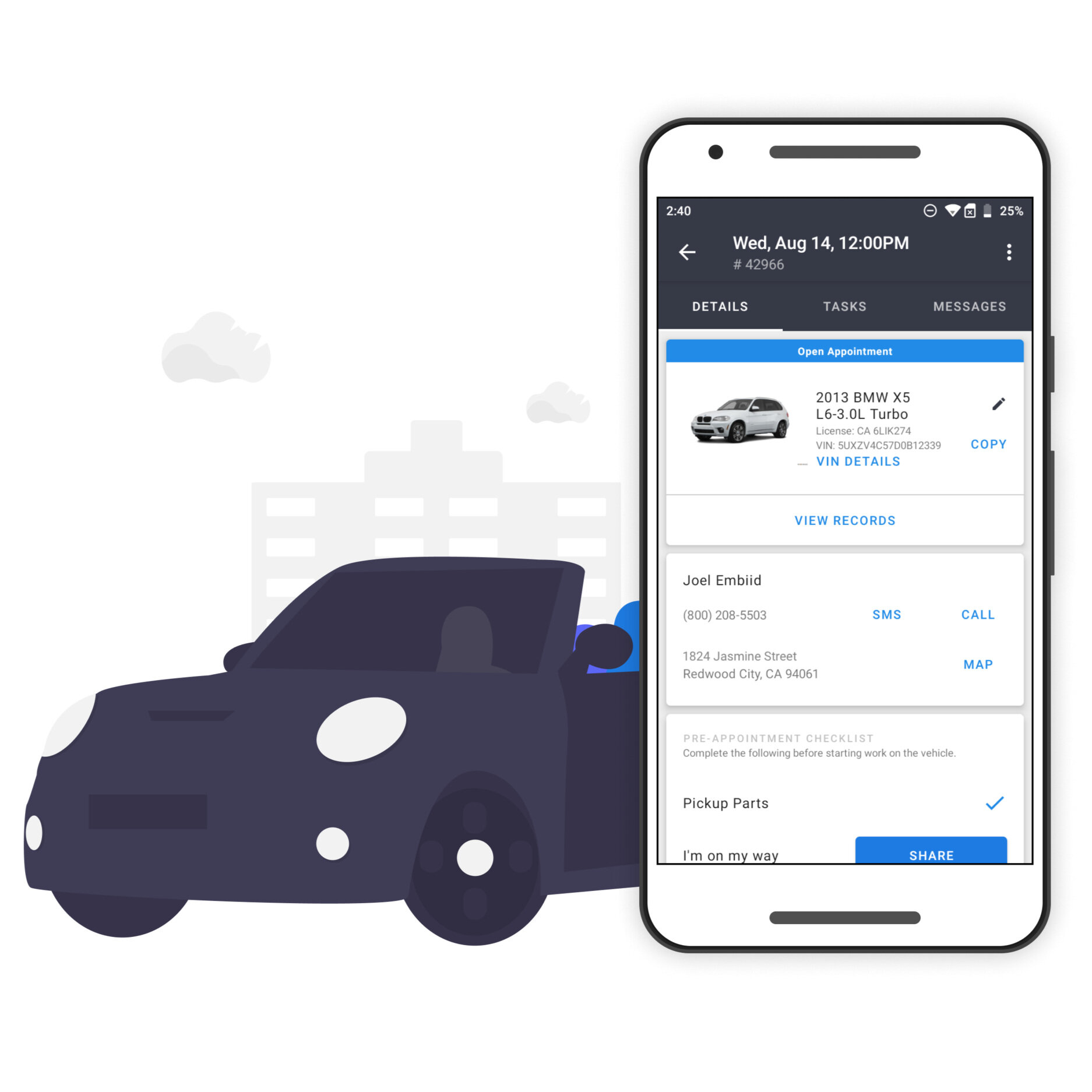
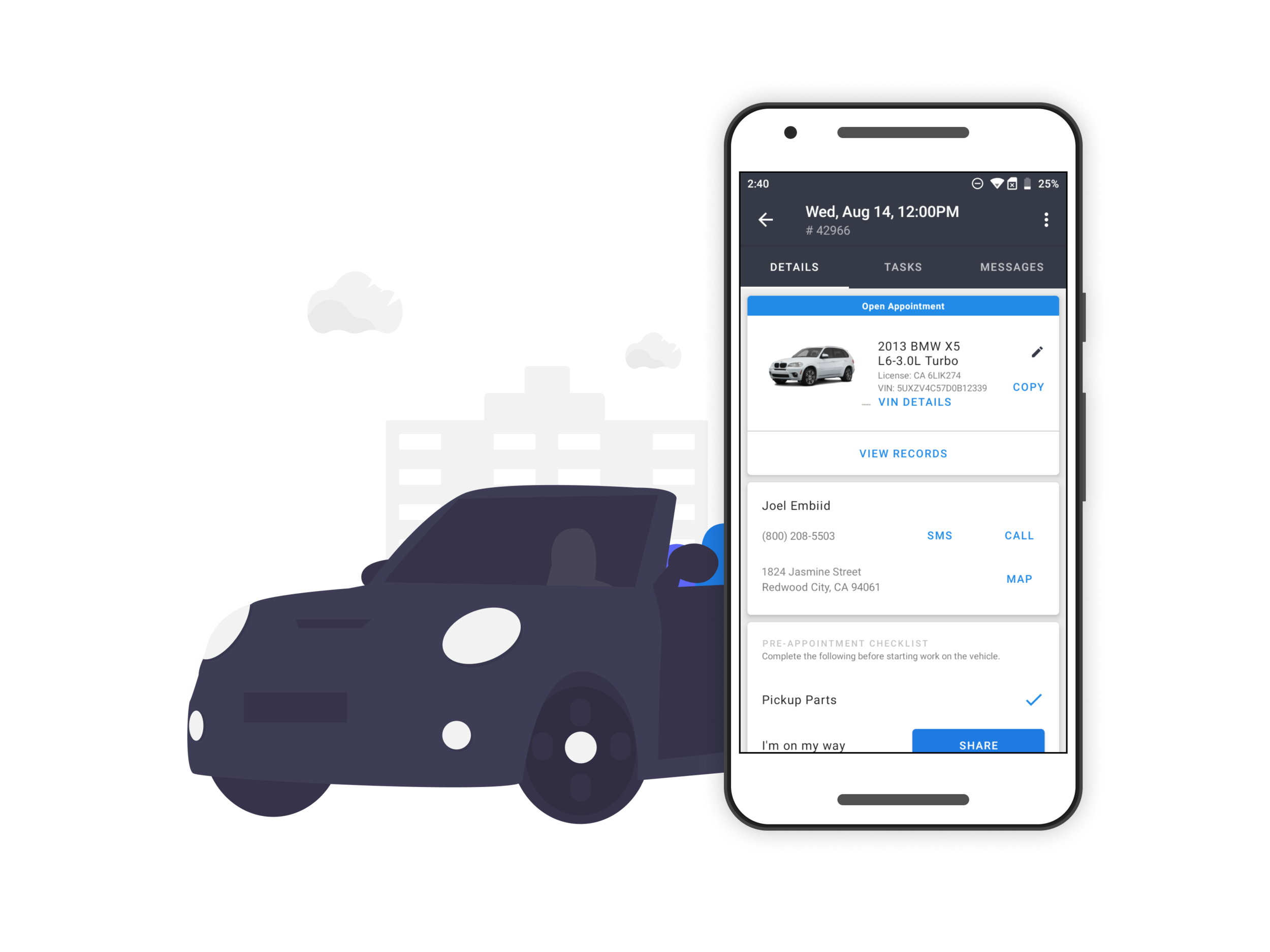
YourMechanic provides car repair, maintenance, and diagnostics at the convenience of your home or office. YM Mechanics offers services in over 2,000 U.S. cities. I joined the team as the sole user experience designer for the Android Technician App: the app mechanics use to manage their appointments & customers, view & order parts, set work schedules, and create vehicle work estimates.
My Contribution
Re-designed the app's information architecture and created new and updated UX and UI documents. Created a brand new components library for reusability.
Conducted research in the field and shadowed mechanics to learn about user habits and to better understand the context and environment technicians face
Created the UX and UI for the VIN Scanner feature and an in-app guided photo capture experience to document vehicle damage
Cross-Team Collaboration
Developers - Worked closely with Android developers in the early stages of the redesign to understand what the focus should be. We didn’t want to completely redesign everything because it requires technicians to relearn everything on the fly. Designs were coordinated with developers and the PM team to roll out new features in stages.
VP of Growth - Collaborated with Growth to create up-sell features for mechanics to increase revenue for the technician and allow them to control their business better.
PMs - Worked closely with my PM from day one to come up with a game plan for the design system. It was a lot to take in at first, but we made it work with the resources we had.
Marketing - Create assets for the marketing team for the monthly newsletter, flyers, and the YourMechanic webpage.
Projects I Worked On
Appointment View Redesign
The appointment home page and appointment detail views are where mechanics spend roughly 70-80% of their time. When I joined, the app was in serious need of a facelift. From screen to screen, I looked at all the elements that would be needed and worked out a system that would work across all screens. Over 8 months, this system would grow and evolve to become the design style guide and component library for the app.
Audit of the Original UI:
Early Concepts
No other flow has been more important than the Work Order Detail screens. Some cases can have upwards of 20 service tasks, so making sure that mechanics can efficiently finish each task and input all required information was key to a seamless and frustration-free experience.
My Contribution
Created new UX and UI for the Appointment Detail and Task screens and worked with our Android developer and PM to agree on a design system that was “easy” to implement given our low resources
Created the basis for the YourMechanic 2.0 design system in Sketch. This included new and updated components, text styles, and interaction patterns
Shadowed multiple mechanics in the field to see for myself what they go through daily. I try to put myself in their shoes as much as I can, but nothing beats hearing from them and seeing how they use the app. We also had a Facebook group where all active mechanics on the platform could ask questions and voice any usability issues with the app, which helped us communicate any issues
IA Redesign & Simplification
I started with a UX audit of the app in the state it was in. My focus was to redesign the app in its current state and create a better experience for the mechanics in the field. The app in its previous form was riddled with bad UX practices and out-of-date UI’s. This disjointed experience hurt mechanics’ productivity which in turn hurt our company.
My Contribution
Create a formal Information Architecture to organize all the app screens and flows. There was no source of truth document when I joined, so I needed to build it out from the bits and pieces of Sketch documents. It helped me wrap my head around all the different areas of the app.
Reduced redundant and necessary areas of the app that were confusing technicians. Worked closely with our developer and app product manager to come up with a timeline for releases
Vehicle Intake Redesign
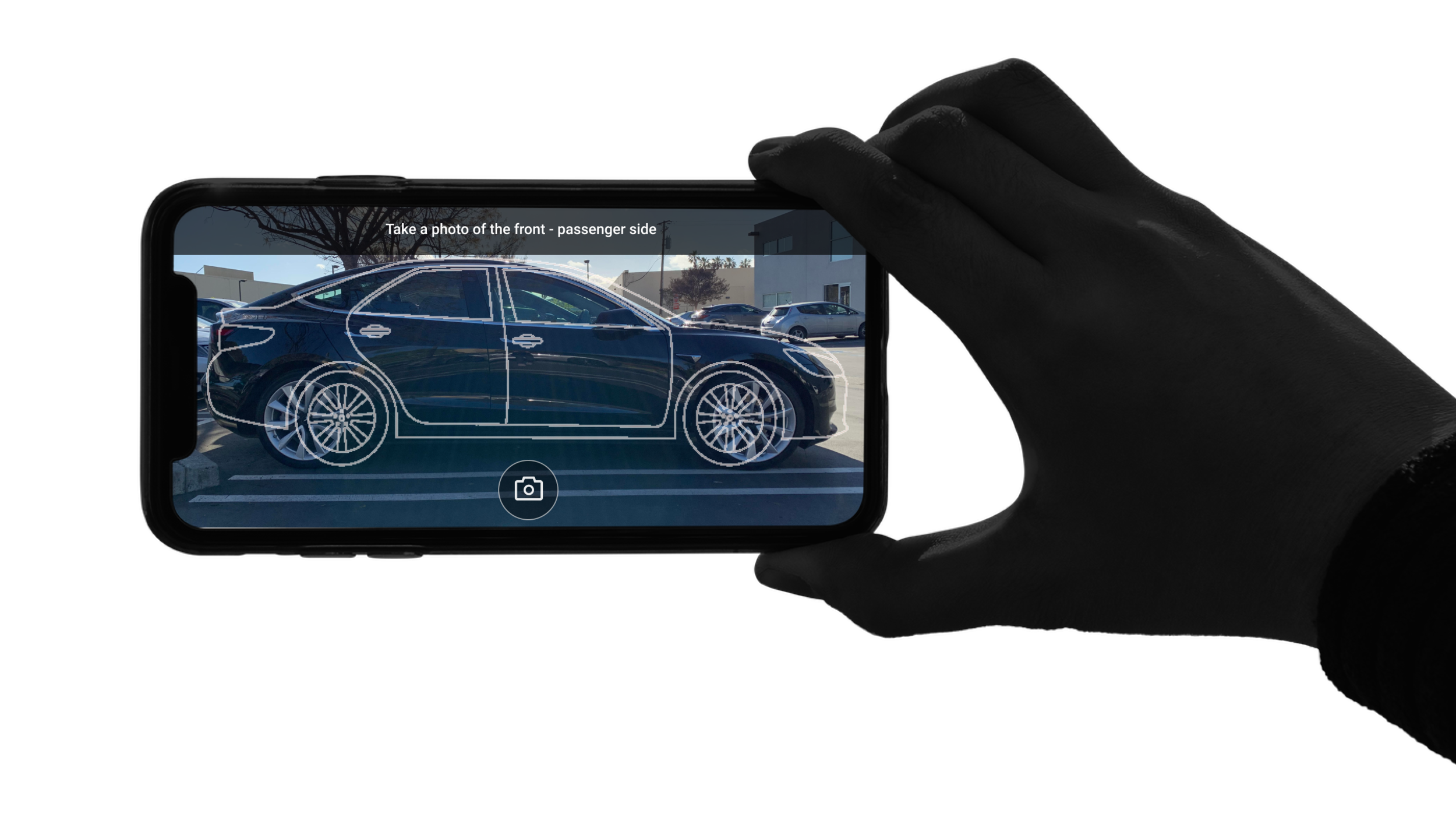
Before every appointment, technicians need to do four things: input the vehicle’s VIN, license, and mileage, and take photos of any damage before starting work on the vehicle. One of my tasks was to simplify this process as much as possible for the mechanic. Before, these required steps were hard to find, and technicians were spending a significant amount of time completing them.
My Contribution
Created the in-app guided photo capture experience to document vehicle damage. This included creating outlines of all sides of the vehicle for sedans, SUVs, and trucks. Worked closely with our Android developer to come up with a design that could be implemented quickly
Created the VIN Scanner to allow the technician to take a picture of the vehicle’s VIN instead of manual input. This alone made the process so much quicker for the technicians
Reflections
While there is still much to be done to the app as far as improvements go, the enhancements we made have had a big impact on mechanic workflow and efficiency. The overall time to complete appointments has gone down while new features like service reminders and a simplified estimate creation flow helped mechanics upsell their customers better.
Being the sole UX designer for the app, I had to focus on high-impact, low-effort changes. There was only one Android developer and one PM working with me. By joining forces at a very early stage in the project, we could discuss possible approaches to the project to ensure that it is realistically scoped out and technically feasible, saving time and effort in the long run.